Pages
How to use Pages in BookMe
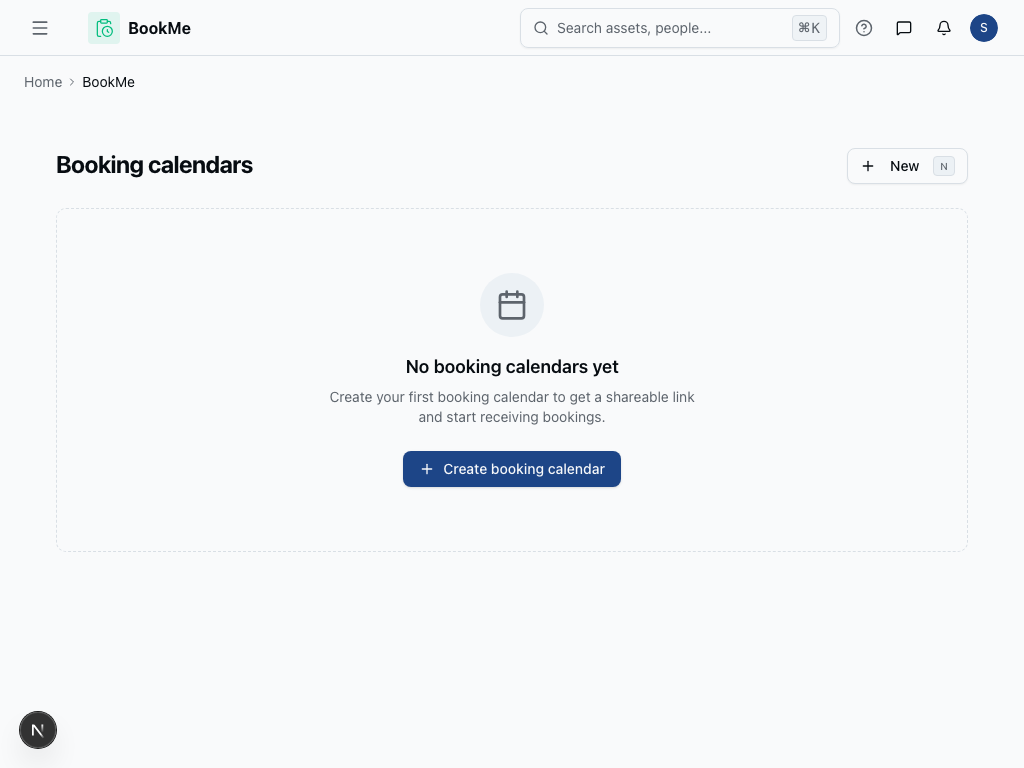
The Pages feature in BookMe allows you to create and customize dedicated booking pages for your services. These pages serve as the public-facing interface where your clients can view your availability and schedule appointments, making it essential for converting visitors into booked appointments.
How to Create and Manage Booking Pages
-
Navigate to the BookMe module and select Pages from the sidebar menu.
-
Click the Create New Page button to start building your booking page.
-
Enter a Page Title that clearly describes your service (e.g., "30-Minute Consultation" or "Hair Styling Session").
-
Add a Page Description to explain what clients can expect from this booking type.
-
Configure your Availability Settings by selecting which calendars and time slots should be available on this page.
-
Customize the Booking Form by adding required fields like name, email, phone number, and any service-specific questions.
-
Set your Page URL to create a memorable link you can share with clients.
-
Preview your page using the Preview button to see how it will appear to visitors.
-
Click Save and Publish to make your booking page live.
Tips
- Keep your page descriptions clear and benefit-focused to encourage bookings
- Use descriptive URLs that match your service names for better SEO
- Test your booking flow regularly to ensure a smooth client experience
Embed & share
Open a booking page's settings and select Embed & share (or the Embed & share button at the top of the settings). The page answers two questions: how people reach your booking page, and how to put it on your own website.
Public link or expiring links
- Public link: always on while the calendar is active. Best for team pages such as Request a demo, where anyone should be able to book. It is not recommended for personal calendars, because anyone who has the link can keep booking. Copy it, show a QR code to download or copy, or Open page to check it. If the calendar is inactive, the link shows "The page is inactive"; select Activate to turn it back on.
- Expiring links (recommended for personal calendars): each link stops after a date or a number of bookings, so an old link can't keep filling your calendar. The card lists the links still accepting bookings with their usage and expiry. Select New expiring link to create one, or Manage links to copy, edit, duplicate or revoke them (see Share an expiring invitation).
The public link stays live either way; expiring links are an extra way in, not a replacement.
Embed the booking page on your website
Under Embed on your website, pick the options, then select Copy code and paste the snippet into any page:
- Style: Card shows the booking page in a card with the accent bar; Frameless drops the card so the page blends into your site.
- Height: Auto fits the content (see below). Fixed height sets a height between 400 and 1200 pixels.
- Link used: the public link, or one of your active expiring links. Embedding an expiring link makes the widget stop taking bookings when that link closes.
The snippet looks like this:
<iframe
  src="https://metadot.net/book/acme/bkm/intro-call?embed=1"
  title="Book a meeting: Intro call"
  loading="lazy"
  data-metadot-bookme
  style="border:0;width:100%;min-height:640px"
></iframe>
The preview on the right is the real booking page, as last saved, inside a sandbox: you can click through it, and a test booking won't send this tab to your confirmation page. If you changed the booking link and haven't saved it yet, the preview asks you to save first. Changing the booking link breaks embeds you already published.
Auto height
With Auto, the embedded page reports its height to your page each time it changes (for example when a guest moves from the calendar to the details form). The code you copy already includes a small script that listens for those reports and resizes the frame, so guests never scroll inside it. Paste the whole snippet, iframe and script together. The script only accepts messages from Metadot and only resizes the frame that sent them.
If your site strips <script> tags, paste just the iframe: the frame keeps its
640-pixel minimum height, or pick Fixed height instead.
When the calendar sends guests to your own page after booking (General → After booking, send guests to), an embedded booking shows the confirmation with a Continue button instead of leaving your page on its own. The button opens your page in the whole window.
Share an expiring invitation
Open a booking page's settings and select Embed & share, then New expiring link or Manage links, or use the invitation list under each calendar in Account → Bookings. Create an invitation from Hiring interviews, Customer research, Office hours, or Single use, then customize its title and team note. These details identify the invitation for your team; guests see the booking form without an extra invitation banner.
Set Accept bookings until to the deadline in your browser's timezone. Optionally set a Total booking limit: use 1 for a single-use invitation, a larger number for several interviews, or leave it empty for unlimited bookings until the deadline. This limit counts bookings across all times, independently of group capacity per slot.
Use the optional Meeting date window to restrict when meetings may take place, in the booking page's timezone. Meetings can take place after the invitation expires. Duration, location, availability, and questions come from the booking page's settings.
Choose Create invitation link, then Copy link and send it to your coordinator or guests. A hiring coordinator can forward the same link to several candidates; neither the coordinator nor candidates need a BookMe account.
Copied links include the public booking page's URL name and a short private code,
such as /book/acme/link/intro-call--{code}. The invitation's internal title and
team note stay out of the URL. Previously shared links still work, and renaming
the booking page does not invalidate an invitation already sent.
The invitation list shows booking usage, expiration and status. Choose Edit to change the title, team note, deadline, booking limit, or meeting-date window while keeping the same invitation URL. Extending an expired link or raising a fully used link's limit reopens it; the limit cannot be lower than the number already used. Duplicate opens a new invitation form with copied details and a fresh 14-day deadline; review copied meeting dates before creating it. Revoke stops new bookings immediately and cannot be undone. Expired, revoked, and fully used invitations show a closed message.
Existing meetings stay scheduled when an invitation closes. Cancellations do not restore uses. Existing one-on-one bookings can still be rescheduled from their confirmation email using the booking page's current availability. Anyone with an invitation can forward it; single use limits successful bookings, not recipient identity. Your permanent booking-page link continues to work independently.
Calendar settings and notifications
In Account → Bookings, the cog beside a calendar's Enabled/Disabled badge opens its settings. The complete upcoming-bookings label links to that calendar's bookings. General shows the host calendar: the connected Google/Microsoft account, a reconnect warning, or No host calendar connected, with a shortcut to Calendar sync.
The owner coordinates the booking page. The owner and current calendar members, including people and teams with access through the calendar's folder, receive notifications by default for new bookings, reschedules and cancellations. Members do not receive notifications about their own actions. Removing a member's calendar access stops their future notifications, except for the owner while they remain the coordinator. The owner can use Muted to stop their alerts.
Choose your booking alerts
Use the bell beside a calendar in BookMe → Booking calendars, inside a folder, or in Account → Bookings. This is your personal subscription and does not change anyone else's alerts. New calendars default to Watching.
- Watching: email and in-app alerts for new bookings, reschedules, and cancellations.
- Tracking: the same alerts in-app only, without booking alert emails.
- Normal: email and in-app alerts for reschedules and cancellations only.
- Muted: no booking alerts for that calendar. Bookings remain visible and guest emails are unchanged.
You can change your own subscription even with read-only calendar access. The owner follows these settings like every other member.
Was this page helpful?